

If you’ve noticed a tiny green dot suddenly appearing at the top of your Android phone’s screen, you’re not alone. Many users have spotted it and wondered whether it’s a glitch or even a virus. In reality, this dot is part of a privacy feature built into Android, designed to give you more control over your data.
The green dot shows up whenever an app is actively using your camera or microphone. It first appeared with Android 12 and has since become standard across most Android devices. If the dot appears, it means something on your phone is recording audio, capturing video, or both. The idea is to alert you right away so you know when sensitive features are active.
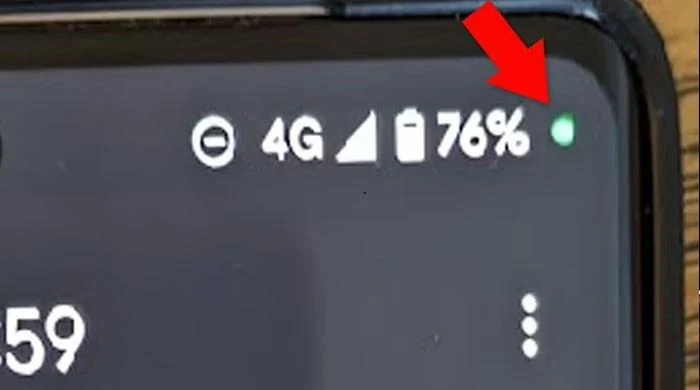
For example, if you’re making a WhatsApp call or recording a voice message, the dot will light up to let you know your mic is in use. Similarly, if you open the camera to snap a photo, you’ll see the indicator. It usually disappears once the app stops using those functions. iPhone users will recognize this too, since Apple has a nearly identical system.
You might be wondering how to check which app is responsible when the dot appears. On most Android phones, you can swipe down from the top of the screen and tap the indicator. This will reveal the app currently using the camera or mic. On some Samsung models, the process is similar, giving you an easy way to confirm what’s going on.
Most of the time, the green dot is harmless and expected. But if you see it appear when you’re not using any app that should need your microphone or camera, it might be a sign of a problem. Some apps run in the background and may be overstepping their permissions. In that case, you can head into Settings, choose Apps, select the suspicious app, and adjust or revoke its permissions.
It’s worth pointing out that there’s no official way to disable the green dot completely. That’s because it’s part of Android’s system-level privacy design. Still, you can remove access on an app-by-app basis, which not only stops the dot from showing up unnecessarily but also ensures apps can’t use your mic or camera without your knowledge.


